
Multi-station reception
Connect many base stations over TCP or NTRIP, monitor link quality and satellite counts, and reconnect automatically when a stream drops.
EasyNet receives RTCM streams, decodes multi-constellation observations, solves VRS networks, serves NTRIP rovers, and records RINEX 3.04 — all from a single Windows application, with subscription licensing built in.
14-day free trial · full feature set · 1 device · cancel anytime
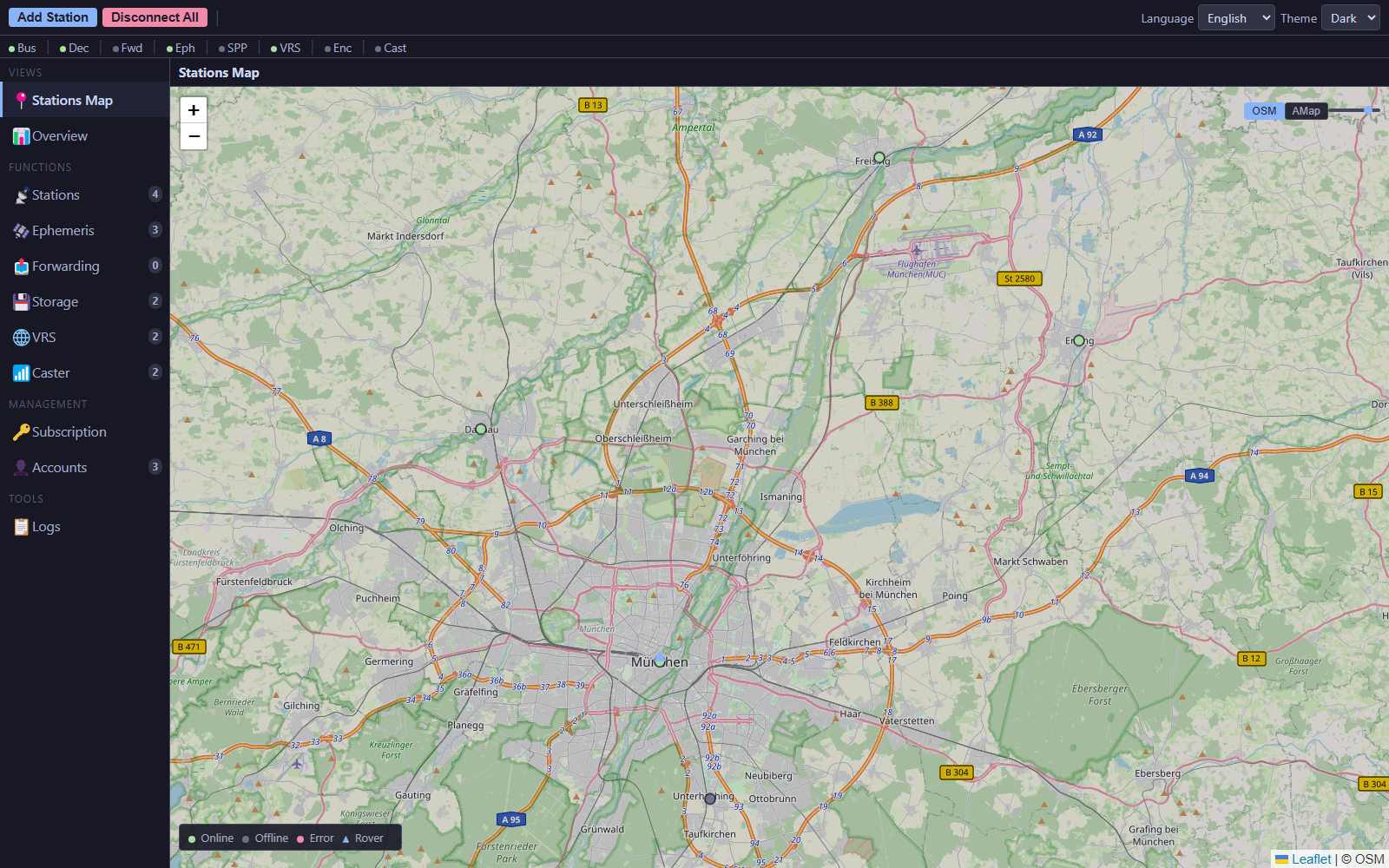
One process-isolated stack handles ingestion, processing, distribution, and storage — so a failure in one service does not take down the rest.
Connect many base stations over TCP or NTRIP, monitor link quality and satellite counts, and reconnect automatically when a stream drops.
Decode multi-GNSS observations and broadcast ephemeris from RTCM 3.x streams and publish them on a lightweight internal message bus.
Cluster stations into 3–7 site networks, choose a master and auxiliary sites, and generate virtual observations with RTCM 3 MSM output for rovers.
Serve rovers from persistent mount points with per-constellation RTCM filtering, rover range checks, concurrency limits, and immediate revocation.
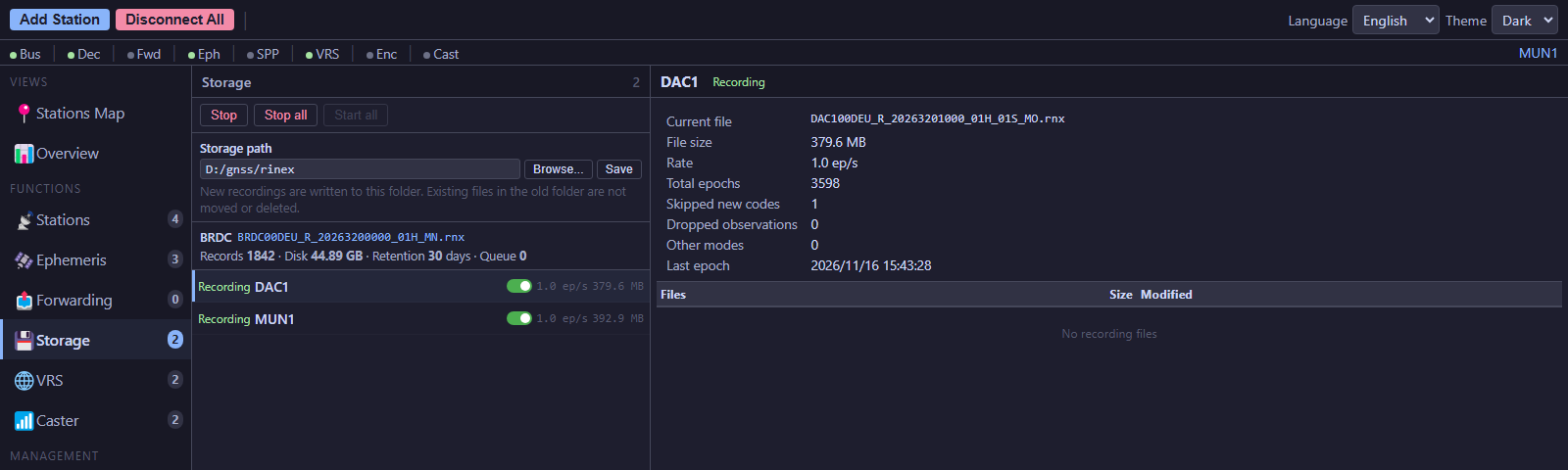
Write per-station hourly observation files and mixed navigation files, with code-set locking, retention control, and clean hourly rollover.
Fetch and reload SP3 arcs automatically, replay them after service restarts, and feed SPP and VRS with precise satellite positions.
Every panel is designed for operators: station health, satellite observations, VRS networks, rover access, and RINEX recording.
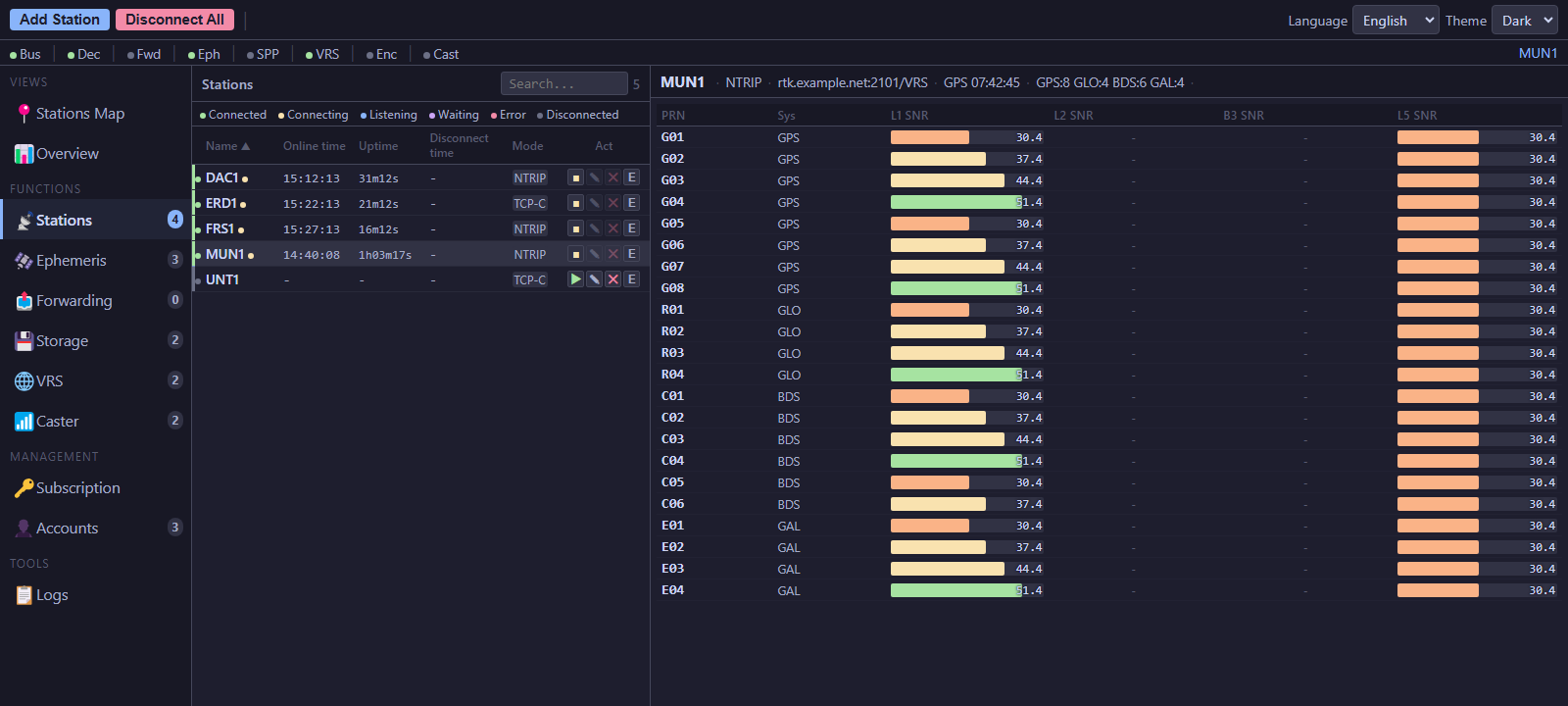
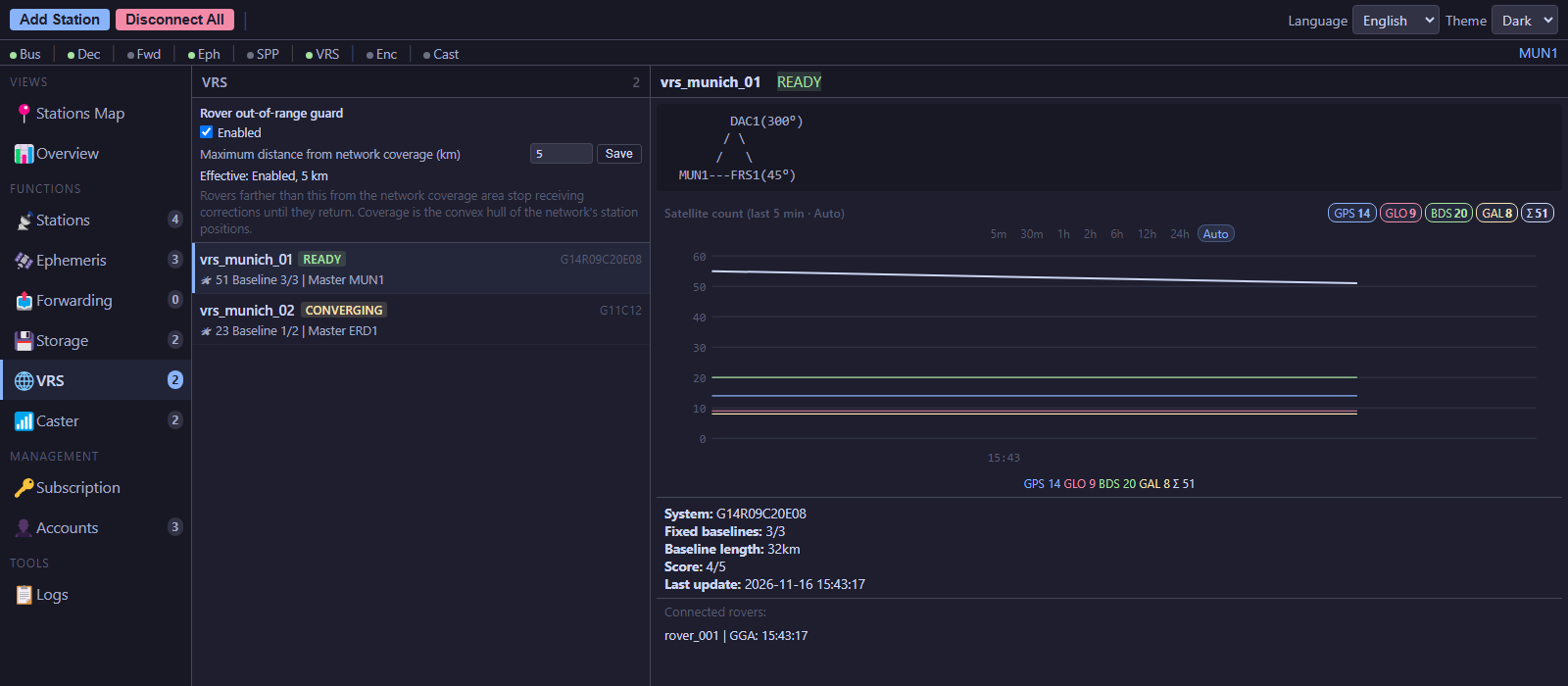
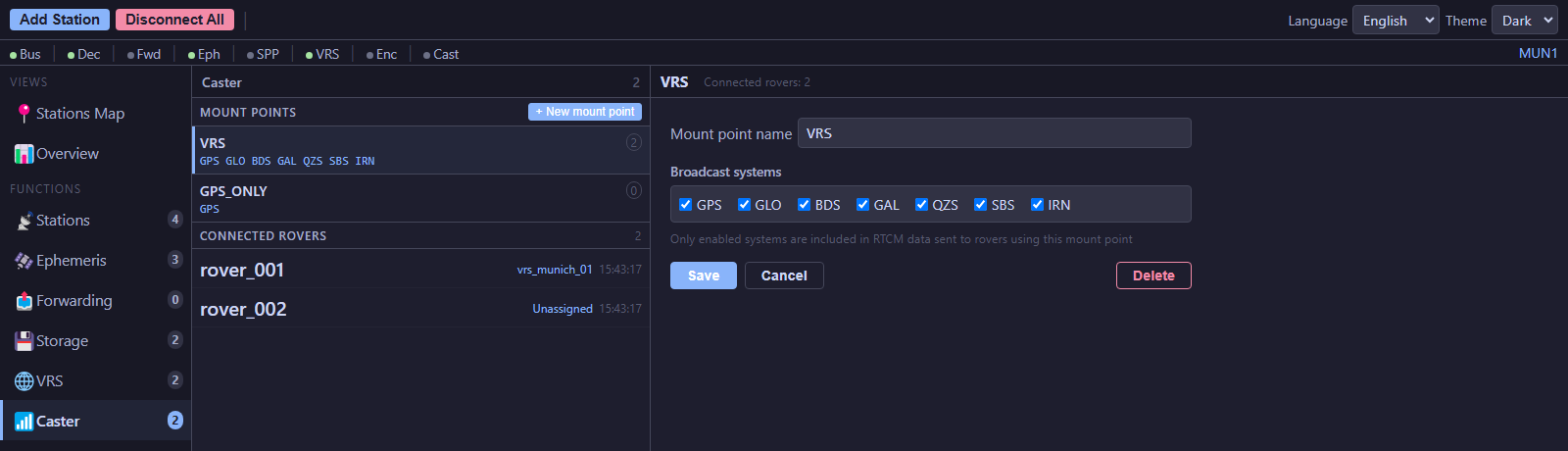
Add your base stations by TCP or NTRIP and connect them from the station list.
EasyNet decodes observations and ephemeris, runs SPP, and builds VRS networks automatically.
Rovers authenticate against your NTRIP mount points and receive RTCM 3 corrections.
Enable recording per station to write RINEX 3.04 observation and navigation files to disk.
Every paid plan includes the full feature set. Plans differ in station, network, rover, and device limits — choose the size that matches your operation.
Yes. Start a 14-day trial inside the app. The trial includes the full feature set with a one-device limit, so you can test your own stations and rovers before subscribing.
Each subscription provides an activation key. Activate it on a computer to bind that device to your license; you can deactivate a device later to free the slot. Plan limits are delivered by our license server, so the app always matches your current subscription.
Yes. After activation, the app can run offline within the grace period of your plan (14 days on Starter, 30 days on Professional and Enterprise). It revalidates in the background when a connection is available.
Station configuration, logs, and recorded RINEX files stay on your computer. License activation sends a hashed device fingerprint and your license key to our license server. Payments are handled by Creem; we never receive your card details.
Windows 10 or 11, 64-bit. You also need network access to your TCP or NTRIP sources and, for VRS, a set of stations with valid coordinates.
Request the current Windows build, then start your 14-day trial in the app.